Developers, project marketers and house-and-land groups
● OPERATING — LIVE CLIENT SYSTEM IN THIS VERTICALYou're paying for new enquiries while old ones sit untouched in the CRM.
Handled works the database properly. We follow up, find out who's still looking, record what they need and get the right buyer back to the right salesperson. A person approves every important message before it's sent.
What happens to one enquiry.
It happens once. Then it happens hundreds of times across the database. This is the journey the live system runs.
The enquiry lands in the CRM with its source, project and history attached.
The system finds out what they want, when they're looking and what they can buy.
Or edits it, or stands it down. Declines and opt-outs are honoured immediately.
“Not ready until spring” is a next action — not a dead lead.
With the full context — not a name and a phone number.
Nobody reaches the buyer that day. Two generic follow-ups go out, then the enquiry sits in the CRM — while marketing pays for the next one.
What is being missed.
The issue isn't always lead volume. It's whether every enquiry is answered, understood and followed up at the right time.
Enquiries answered once, then forgotten
A buyer who asked about a lot last spring may still be looking. If nobody goes back, the business never finds out.
Old enquiries sitting in the CRM
Years of marketing spend are stored as contacts. Most teams don't have enough time to work through them properly.
Follow-up relying on memory
When the next action depends on a salesperson remembering, busy weeks create gaps.
No clear reason the buyer went quiet
Not ready yet, finance not sorted, wrong project and no longer interested require different next steps. “No response” tells sales nothing.
The systems we build.
Each system is built around your CRM, project information and sales process. Your team keeps the tools it knows; Handled fixes the work between them.
Work the existing database
Go back through old enquiries with the right context, find out who's still looking and record every outcome in the CRM.
Answer and qualify new enquiries
Respond quickly, answer from approved project information and find out what the buyer wants, when they're looking and whether the opportunity is ready for sales.
Book and recover appointments
Put the buyer with the right salesperson, then follow up no-shows and bookings that have gone quiet — without dropping them into a generic blast sequence.
Keep the record current
Record the conversation, status, reason and next action so the team can see what is actually happening. CRM updates remain bounded by the permissions agreed for the engagement.
What is running now.
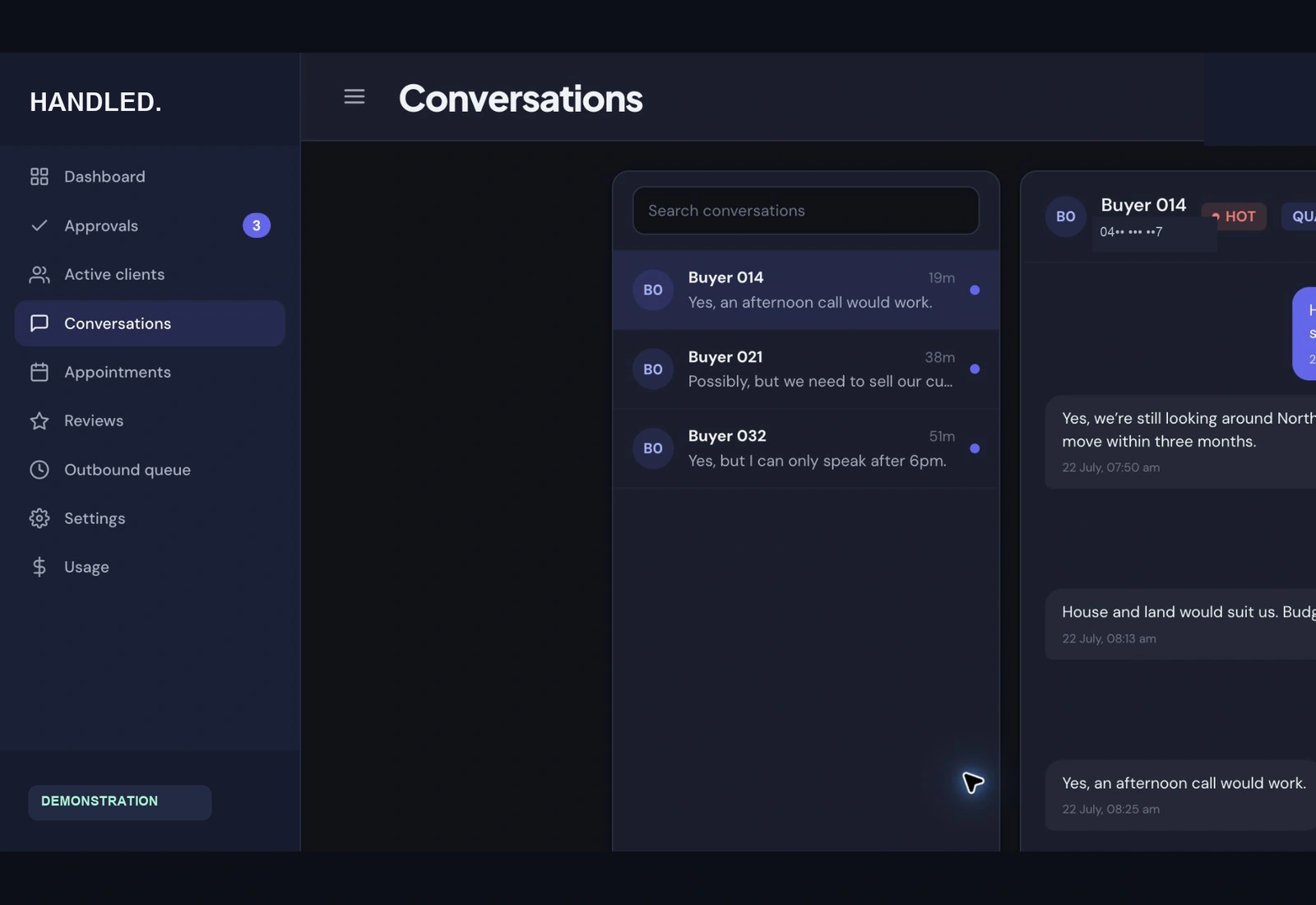
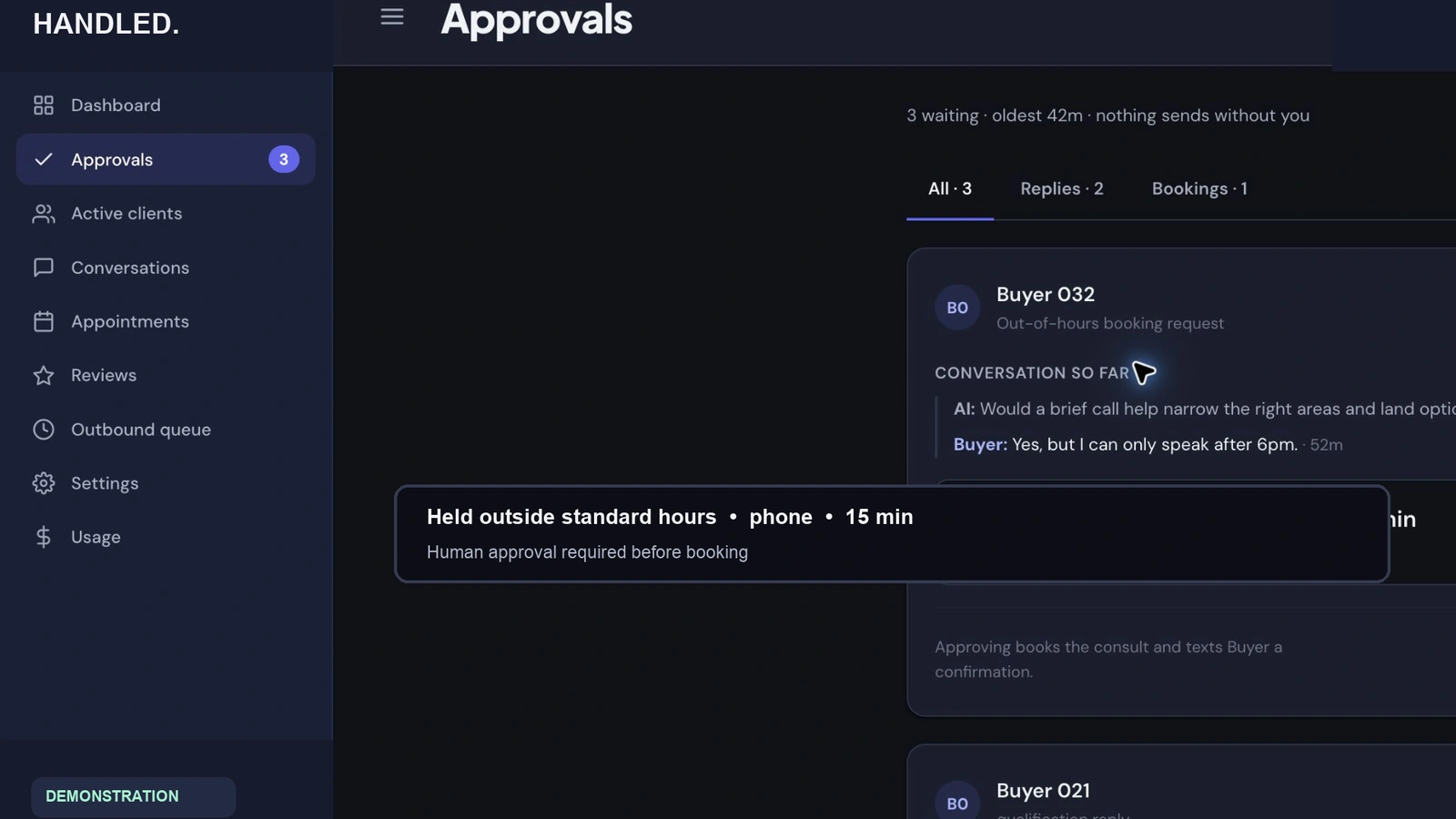
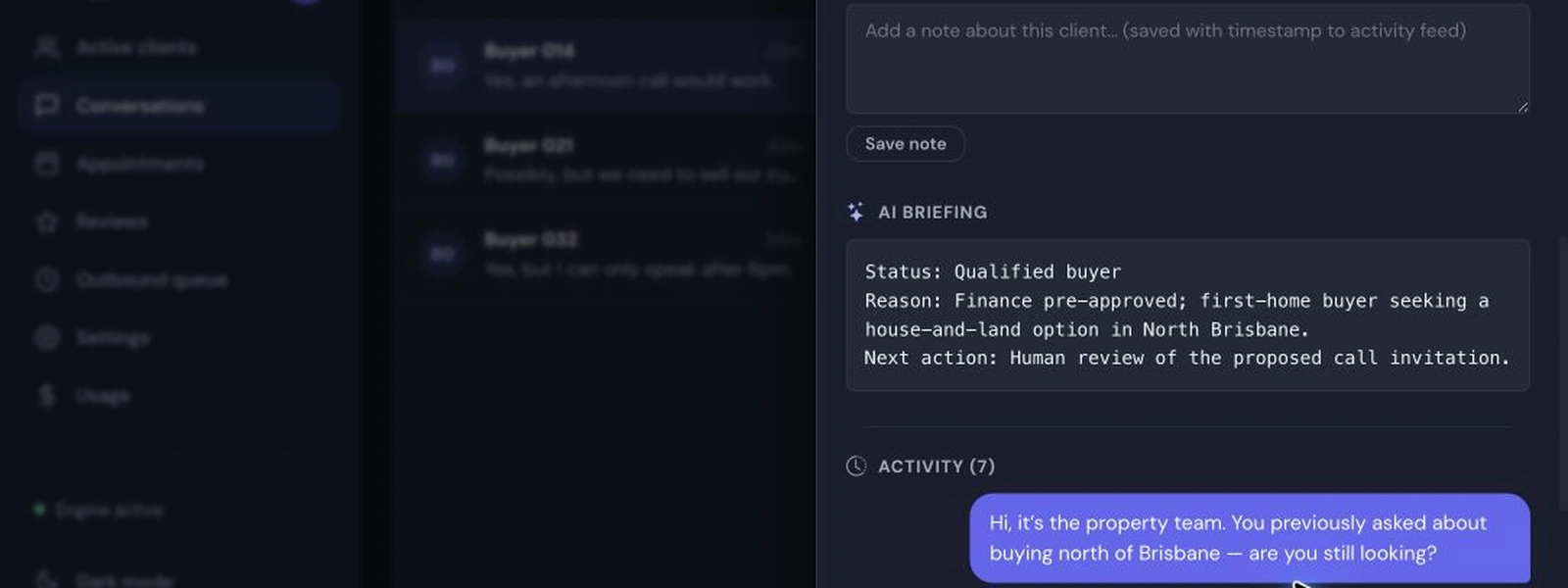
The production system is live. The interface shown here is a demonstration using synthetic buyer data.
A reactivation system working a high-value house-and-land database.
The system is connected to the client's CRM in observation mode. A person reviews every proposed outbound message. Declines, opt-outs and timing signals are classified and recorded; bounded CRM updates happen only where authorised. Handled built it, monitors it and handles the exceptions.
Client name published once permission is recorded.
Start with the part of the database worth working.
We choose one measurable starting point, put it live carefully and expand only after it works.
Review the operation
Look at the database, enquiry flow and sales process. Measure where buyers are being missed.
Put the first system live
Build one bounded system into the CRM with consent, approvals and write-back included from the start.
Run it each day
Monitor conversations, handle exceptions and report against the starting point.
Expand what works
Add new-enquiry handling, appointment recovery or reporting one measured system at a time.
Asked by sales directors.
Will this blast our database?
No. Every conversation is individual, based on the enquiry's own history, and a person approves every important message. Opt-outs and declines are honoured immediately, recorded, and pushed to the CRM only within the authorised scope.
What about consent and privacy?
Consent handling is designed in before anything goes live: who can be contacted, on what basis, through which channel — documented and enforced by the system's rules.
Does this replace our salespeople?
No — it feeds them. The system's job is to make sure salespeople start the day with the people worth calling, with context and a recorded next action.
The next buyer may already be in your database.
Show us the database, the project and where the follow-up stops. We'll show you what a useful first system would look like and tell you honestly whether it's worth building.